Changelog

Follow new updates and improvements to TruMonitor - TruVent.

Coming Soon - TruMonitor - Truvent - Update Version v5.6.0
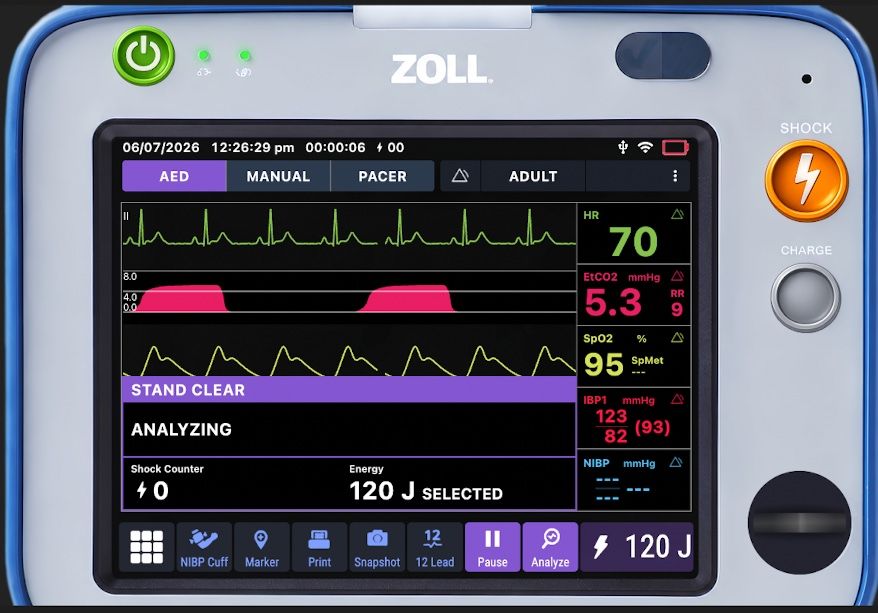
This release focuses on expanding clinical simulation fidelity, adding localized custom laboratory controls, introducing the new Zoll Zenix™ preview skin, and improving media organization for instructors.

v5.6.0 will be available for download after 7th July 2026


🫀 Clinical Simulation & Defibrillator Monitors

Zoll R Series & X Series Enhancements

  • Default Pacing Mode Update: Optimized pacing workflows by updating the default pacer mode to Demand Mode across in Zoll X monitor simulations

New Monitor Skins & Refreshes

  • Zoll Zenix™ Skin (Preview): The brand-new Zoll Zenix interface is now available for early preview and testing. Experience the updated layout and design. We welcome all user feedback during this preview phase!

  • Carescape™ B850 Refresh: The Carescape B850 monitor skin has been visually refreshed and updated to our new 12 lead engine, for crisper rendering, improved contrast, and higher fidelity to the physical bedside monitor.

  • Tempus Pro Refresh - has been visually refreshed and updated to our new 12 lead engine.

Arrhythmia Logic Fixes

  • 3rd-Degree Heart Block: Resolved gaps in trace issue when simulating Complete Heart Block (3rd-degree AV block).


🧪 Laboratory Values & Localization

  • Comprehensive US Units Support: Full native support for US standard laboratory units has been integrated alongside existing International System of Units (SI) and European metrics.

  • One-Tap Unit Toggling: Seamlessly switch your entire workspace or scenario profile formatting between SI/European units and US standard units with a single tap.

  • Custom Laboratories: Added the capability to create, edit, customize, and input entirely bespoke lab values to match specific local hospital protocols or unique clinical case studies.

  • Contextual Lab Notes: You can now free-type notes directly alongside individual laboratory entries, providing crucial clinical context, critical value annotations, or diagnostic hints for learners.


📂 Media & Asset Management

  • Custom Folder Creation: Streamline your scenario assets by creating custom nested folders directly within the Media and SFX (Sound Effects) imports managers. Keep complex clinical audio tracks and imaging files perfectly organized.


🛠️ General Improvements & Stability

  • Optimized baseline simulator performance
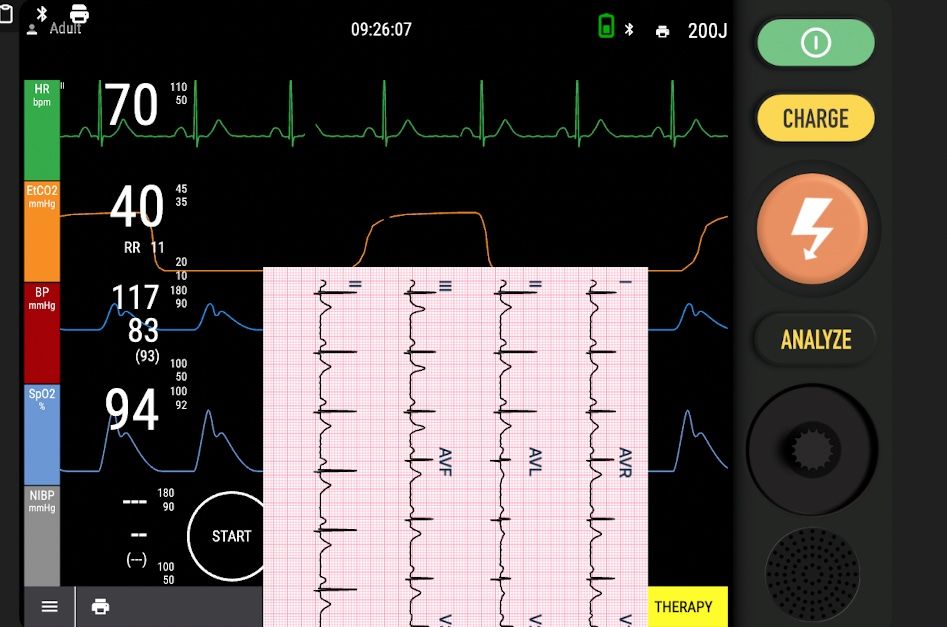
New in Beta: Zoll Z Ventilator, LP15 Upgrades, and More! TruMonitor v5.5.0 Available for Testing

We’ve been busy behind the scenes, and we’re excited to give you a first look at what’s landing in TruMonitor.

These features are available for testing right now via TestFlight, and we’d love your feedback before the full rollout.

https://app.trucorp.com/trumonitor/beta

Here is a breakdown of what’s coming:


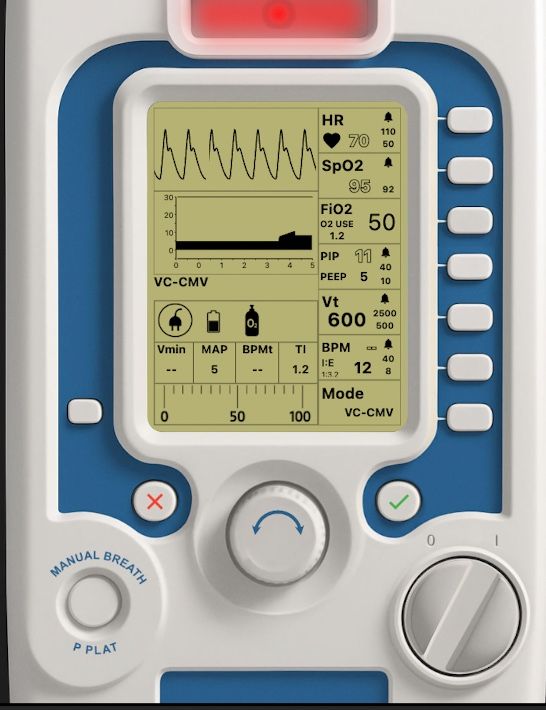
🌬️ New Zoll Z Ventilator Skin

Expand your respiratory and critical care simulations with the addition of the Zoll Z Ventilator interface.

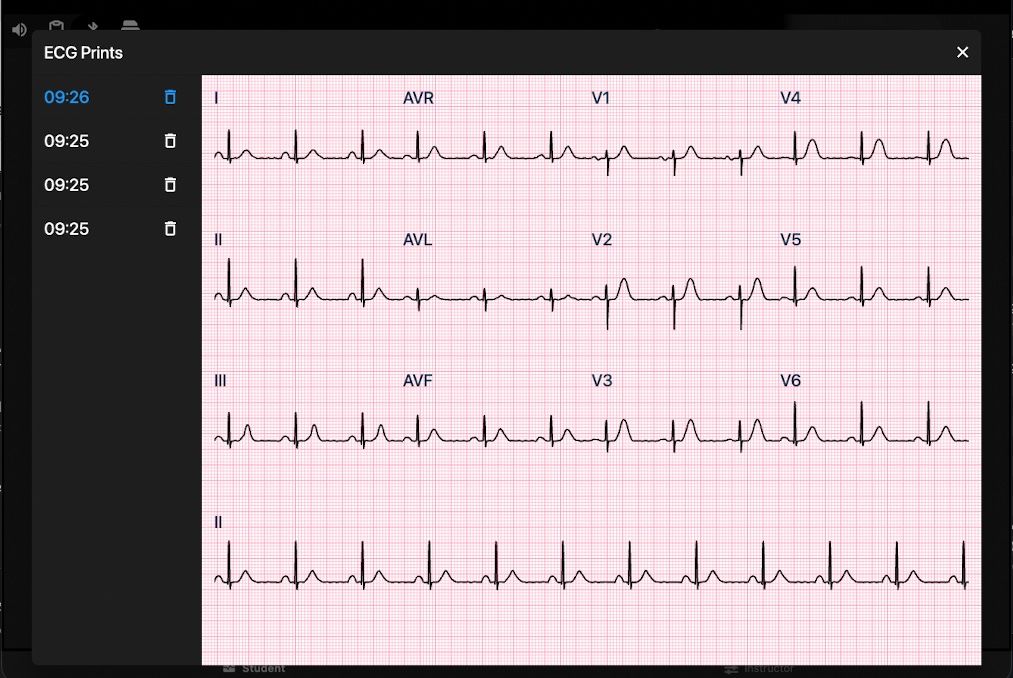
🖨️ New Printing Strip Function

You can now generate up to ten 12-lead ECG printouts for review. This is available across a wide range of skins, including:

  • Generic & Generic 2

  • Zoll X

  • Lifepak 15, 20e, and 35

📱 Mobile Improvements

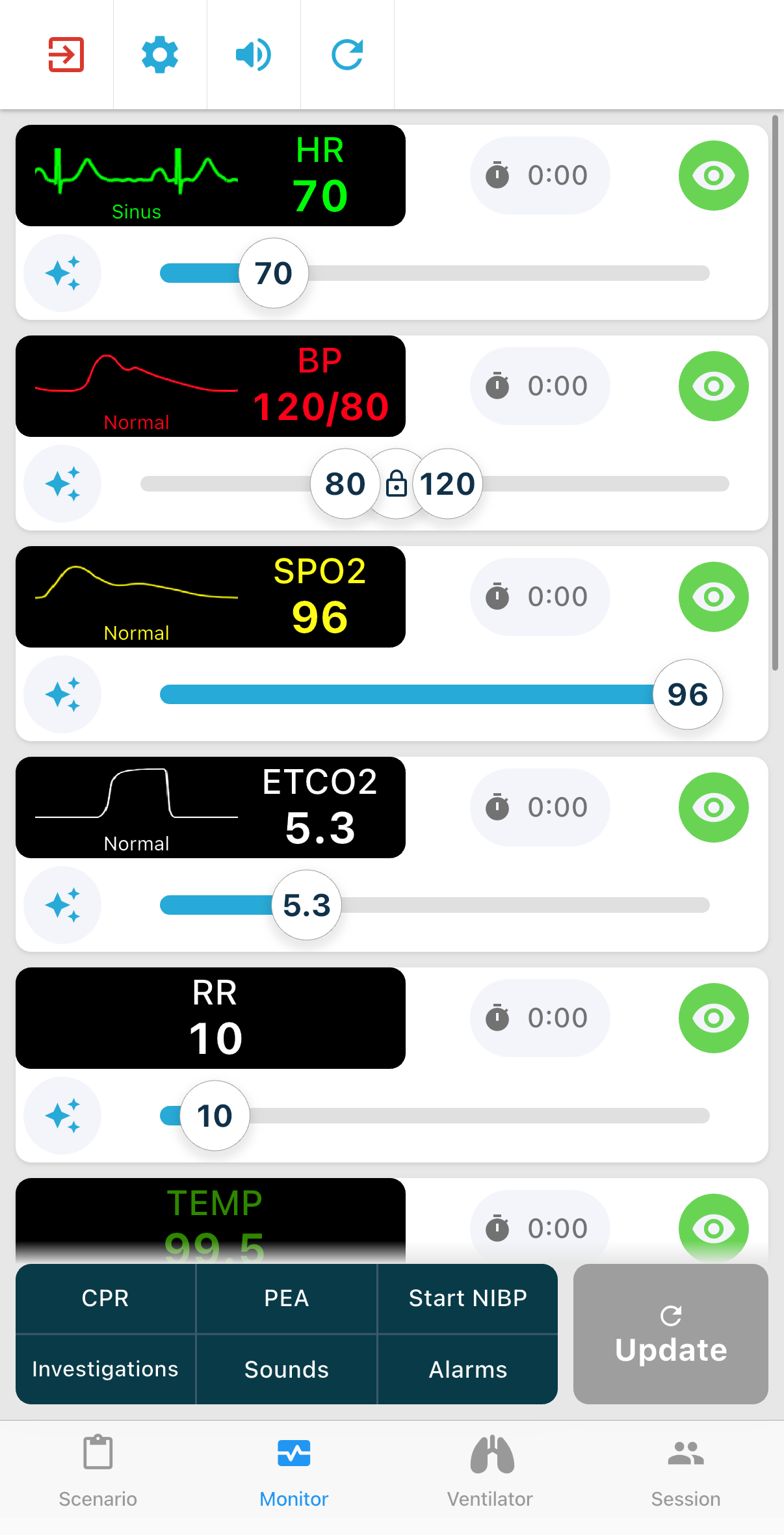
  • Mobile Portrait Mode: We’ve optimized the instructor UI for mobile phones, allowing you to use the instructor panel in portrait mode for better one-handed control, if you like.

🛜 Connectivity

  • Cloud Connect Mode: Network issues shouldn't stop a simulation. The new Cloud Connect mode provides seamless connectivity via cloud if your local environment is acting up.

⚡ Lifepak 15 Improvements

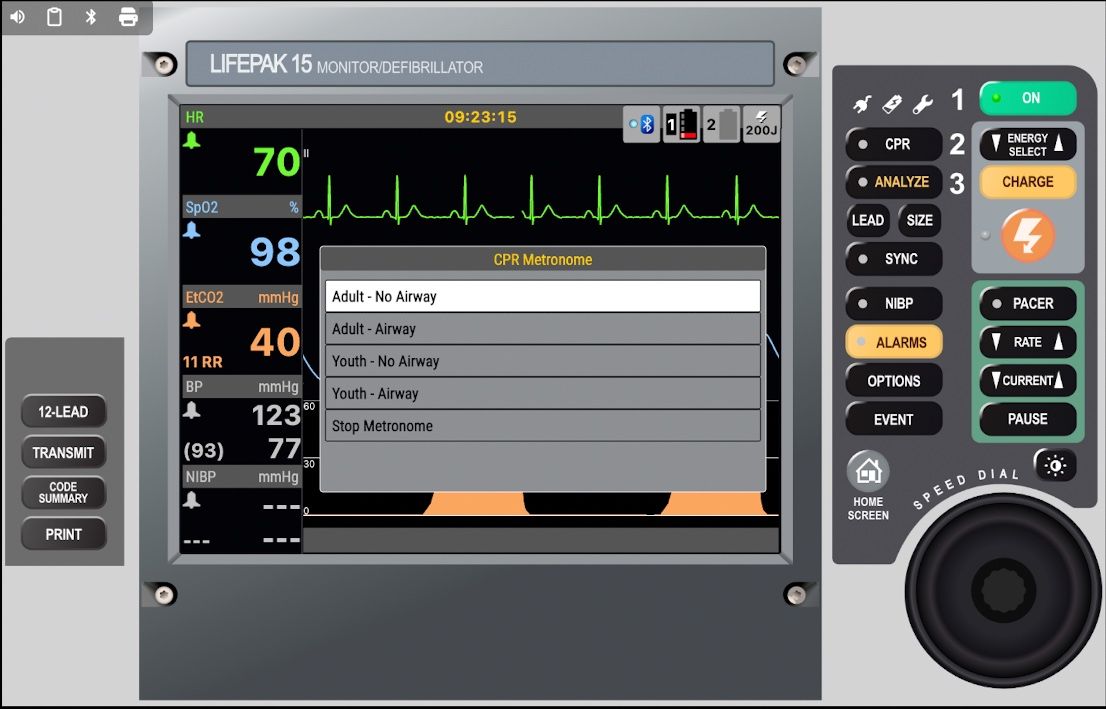
The LP15 has some useful improvements:

  • Extra menus supported - use the control wheel to activate the parameter menus

  • Event capture menu - practise using the event capture for medications or interventions

  • Metronome Support for different CPR ratios


How to get started

If you’re already part of our beta program, just head over to TestFlight on your device to download the latest build.

These features are available for testing right now via TestFlight, and we’d love your feedback before the full rollout.

https://app.trucorp.com/trumonitor/beta

Happy simulating!

The TruMonitor Team

TruMonitor v5.2.0

This release delivers improvements across selected monitor skins - with significant skin improvements on Android for Zoll X, Lifepak 15, and Generic 2.

Zoll X Improvements:

  • Option to disable ‘Auto Restart AED Analysis’

  • Update battery meter

Lifepak 15 Improvements:

  • Major refresh on Android

  • Lead Selection

  • Advanced 12 Lead

  • Alarm settings, NIBP settings improved

Lifepak 20e:

  • Major refresh on Android

Generic 2 Improvements:

  • Major refresh on Android

  • Add CPR timer pie chart

General improvements

  • Instructors can now perform a few basic monitor controls from the instructor panel:

    • Select patient type (Adult/Child/Neonate)

    • Start NIBP

    • Reset monitor screen

  • Fix issue where CPR feedback remained on after a full instructor reset

Earlier updates