Advanced QCPR Feedback, Customized Skins and Custom Automation - v4.2.0
We have lots of exciting updates in this version:
Advanced QCPR Feedback
Customize Skin Colors, Monitor Layout and Settings
Customize automatic behaviors for advanced scenarios
Improvements to the ‘Generic 2’ skin
Bug fixes and general improvements
Advanced QCPR Feedback
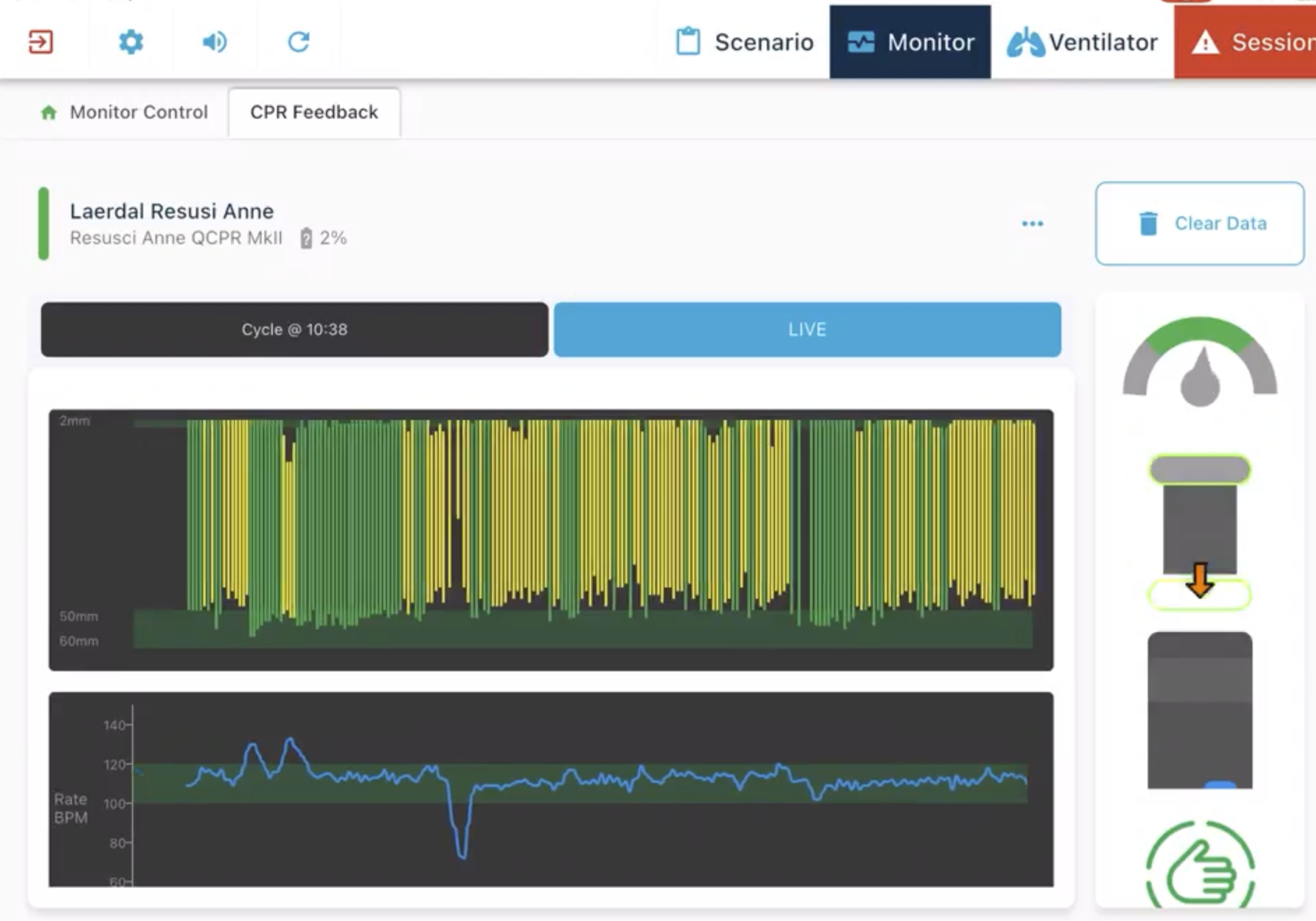
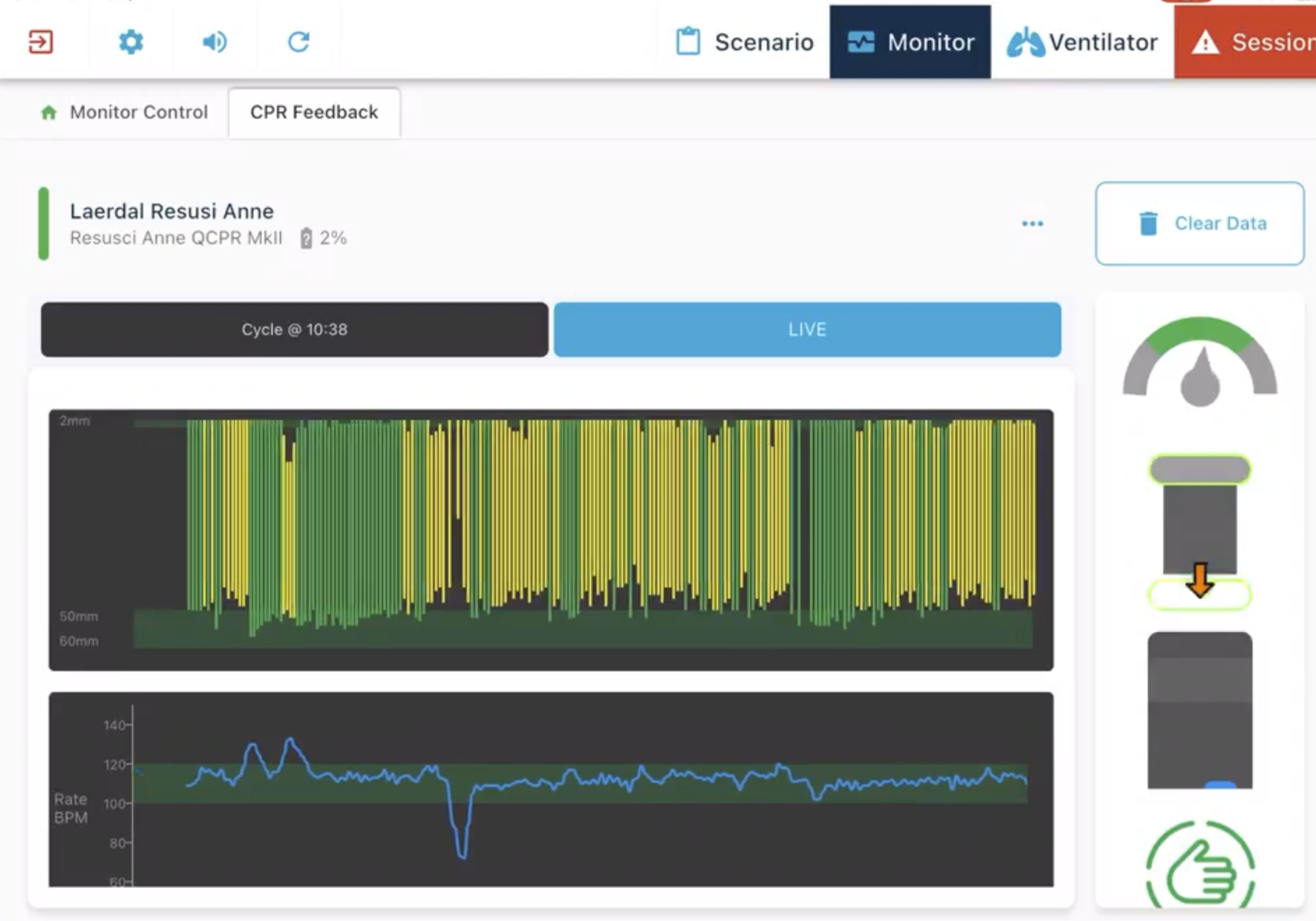
Instructors can now better evaluate CPR quality – with charts and stats tracking depth, rate, and recoil.
By connecting a Laerdal QCPR manikin, this advanced analysis will automatically record CPR performance, allowing better feedback and improvement recommendations.
You can even view previous cycles to see how your performance changes over time.
Customize Skin Colors and Layout
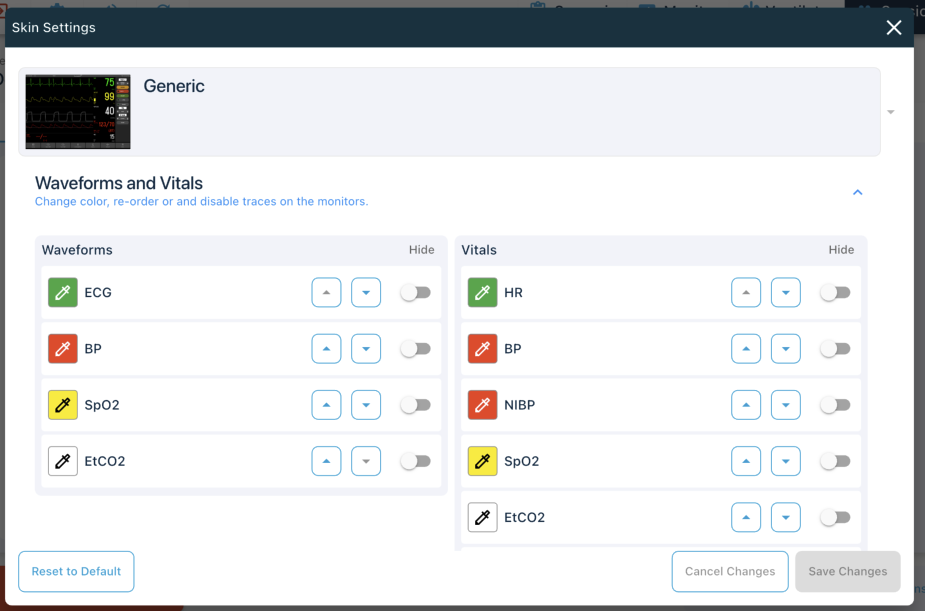
Added ‘Skin Settings’ allowing users to customise skins to meet their requirements.
Change defibrillator & AED charge settings, update selectable energy levels, AED energy steps and default energies.
Waveforms - Change color, re-order or completely hide waveforms
Vitals - Change color, re-order or completely hide vital numbers.
Automated behaviors are now more flexible
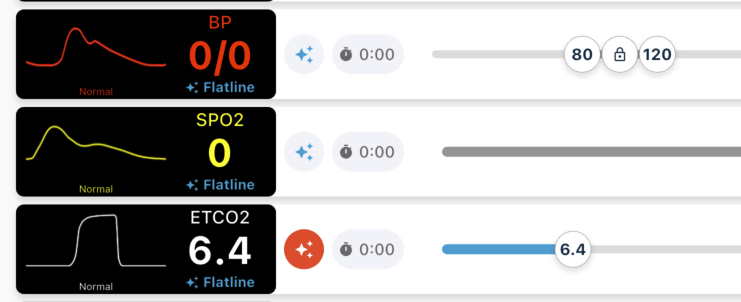
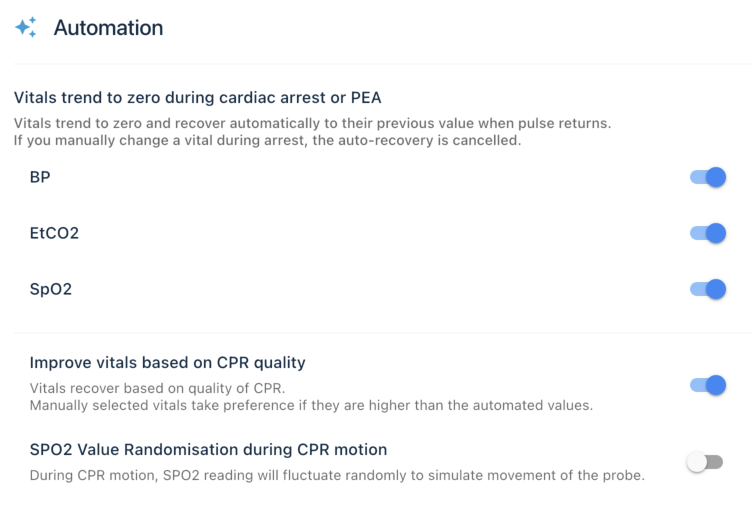
We’ve added flexibility to how automatic behaviors work in TruMonitor, giving you added visibility of what’s happening, and allow you to customize how the system works.
Disable or Quick Override Automation Settings
You can use the ‘quick override’ buttons to temporarily turn off automations if you want to select another value, for example, increasing ETCO2 during manual ventilation.
You can also completely disable any of our built in automations if you wish to be in full control of your settings.
General Improvements
Added specific QRS Beep volume slider
Ability to customise defibrillator/AED energy steps
Fix issue with QCPR Junior/Baby not showing correct depth on instructor side
Auto cancel defibrillator charge if not delivered within 45 seconds.
Reduced duration of defib charge time at high energies
Fixed issue with scenario playback where leads would enable even if the ‘automation disable’ button was active
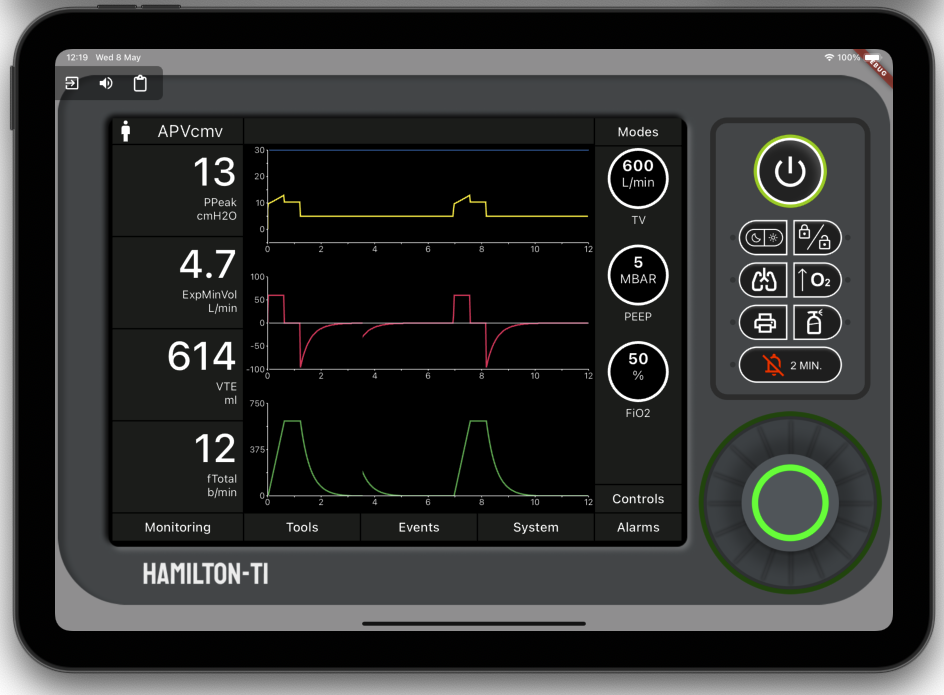
TruVent - allowing lower tidal volume limit for use with infants
Improvements to ‘Generic 2’ Skin
Added monitor style QCPR feedback bars
Improved alarm sound effect
Improved defib charge sound effect
Fixed issue where alarm couldn’t be silenced
Added German language to skin
Fix issues with shock count.
Adjusted behaviour of opening/closing defib/AED Menus
Many more fixes